

FAMILY ACCOUNTS
psssstt Parents / Caregivers / Guardians…
Did you know that there’s an easier way to book classes for the whole family?!
1. Please note you cannot complete the steps below from The Dance Floor app. To do this smoothly, we recommend doing it from a computer.
2. Navigate to account.mindbodyonline.comand log in to your MindBody account.
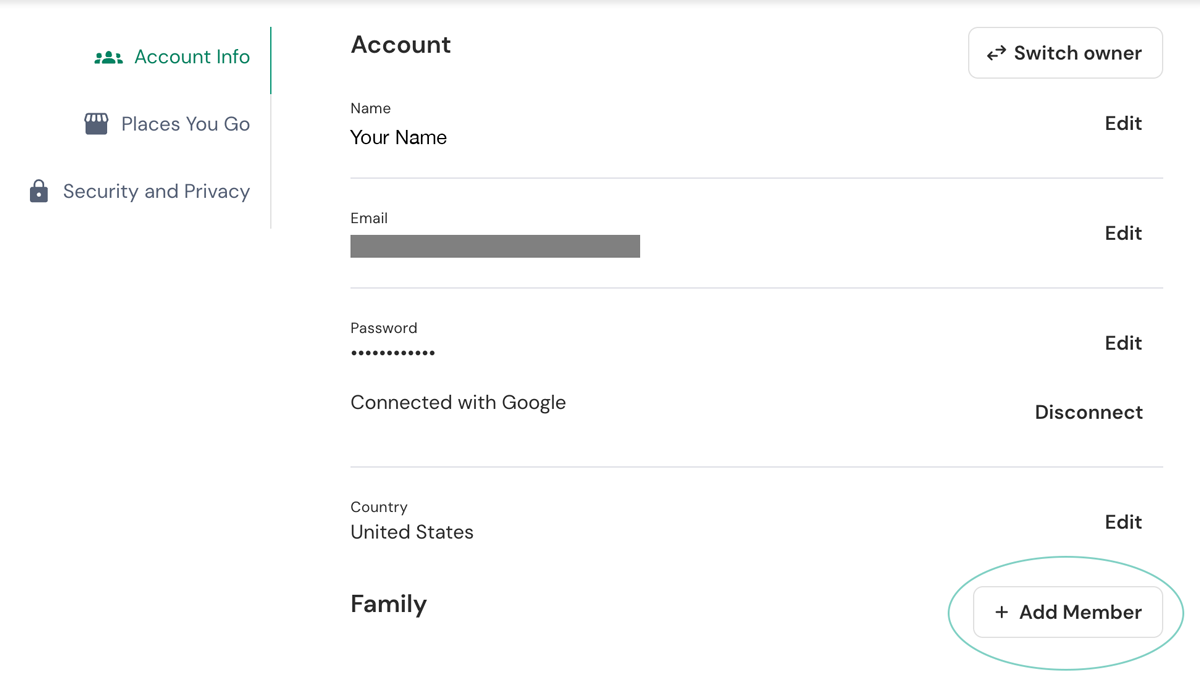
3. After logging in, you will be on your Account page. Scroll down to the Family section. Click + Add Member.
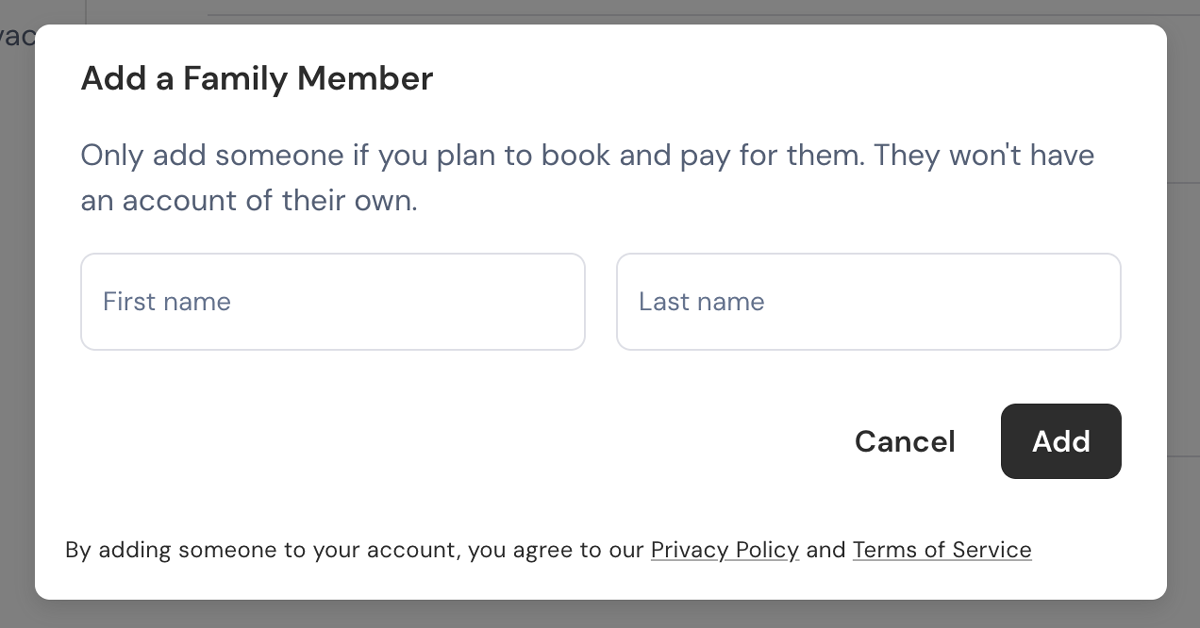
4. A pop-up box will appear. Add your family member’s First and Last Name. When ready click Add.
5. You’re all set! You can now book classes for yourself and your family member(s) from your computer or using our mobile app. When you are ready to book your next class, be sure to use the drop down menu to select which family member you are booking for.
A FEW TIPS:
Only add someone if you plan to book and pay for them. They won't have an account of their own. Everything will be managed through your account and email address.
The first time you book a class for your family member, you will be prompted to complete their profile and check the box to agree to our liability waiver. This should only take a few minutes.
TDF Class Packages can be shared within a household; however, our intro offers and memberships (Unlimited and 4/Month) are one per person.